How Are Data Centers Cooled? – Air, Liquid and Everything Between
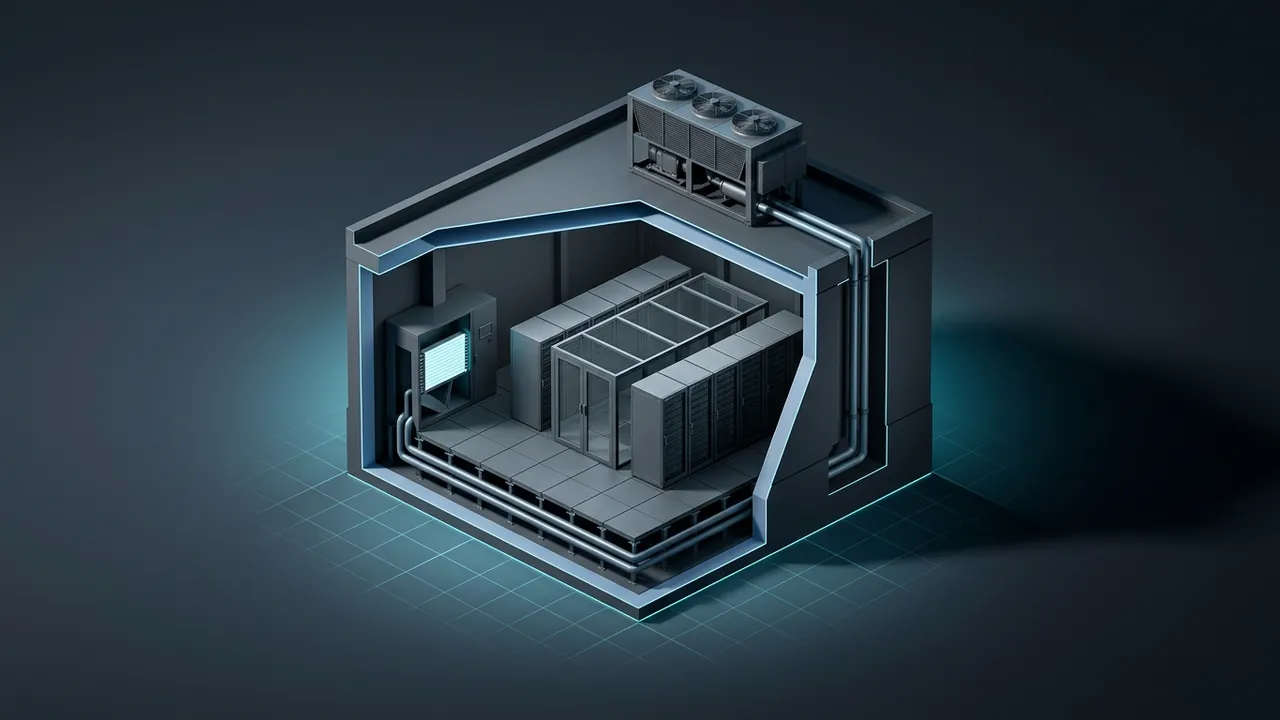
Walk into a data hall and the first thing you notice is the noise. The second is the wind. Thousands of small fans push air through servers all day and all night, and somewhere outside, much bigger fans and pumps are working just as hard. All of that equipment exists to solve one problem. How are data centers cooled, and which method makes sense for a given building or site?
Data center cooling captures the heat servers give off and moves it outdoors, using air, water or another liquid as the carrier. Most facilities still use air: cold air goes into the front of the racks, hot air comes out the back, and chillers, cooling towers or dry coolers outside get rid of it. Denser racks add liquid, through cold plates on the hottest chips or tanks of nonconductive fluid. The right mix depends on rack density, climate, water supply and how much power you can spare for cooling.
Why Do Data Centers Need So Much Cooling?
Because nearly every watt a server draws turns into heat. A server does not store energy or ship it out the door. It turns electricity into calculations and then into warmth, and that warmth has to leave the room as fast as it arrives or temperatures climb within minutes.
The conversion is simple. One kilowatt (kW) of electrical load equals about 3,412 British thermal units per hour (Btu/h) of heat. Cooling equipment is often rated in tons, where one ton of refrigeration moves 12,000 Btu/h, or about 3.52 kW.
- A single 10 kW rack: 10 × 3,412 = 34,120 Btu/h, or about 2.8 tons of cooling.
- A 1 megawatt (MW) data hall: 1,000 × 3,412 = 3,412,000 Btu/h, or about 284 tons.
- A 20 MW building: roughly 5,700 tons, running every hour of the year.
Operators like to tell new technicians that the servers are space heaters that happen to do math. It sounds like a joke until a chiller trips on a summer afternoon and the cold aisle starts warming a degree every minute or two. That is why cooling, along with power, is the system operators watch most closely.
How Does Air Cooling Work in a Data Center?
Air cooling works by feeding cool air to the front of each rack and pulling hot exhaust air away from the back before the two can mix. Server fans do the last few inches of the job. The building's job is to deliver enough cold air at the right temperature and to return the hot air to a cooling coil.
The classic layout is the hot aisle and cold aisle. Racks face each other across a cold aisle, where perforated floor tiles or overhead ducts deliver supply air. The backs of the racks face each other across a hot aisle, where exhaust collects and rises toward the return.
The room units that cool that air come in two main families. A computer room air conditioner (CRAC) has its own compressor and refrigerant, like a large, very serious version of a home AC. A computer room air handler (CRAH) has no compressor; it blows air across a coil filled with chilled water from a central plant. If you want the full breakdown of the two, see our guide to CRAC vs CRAH units.
Why Containment Matters
Containment means putting doors, panels or curtains on the ends and tops of aisles so hot and cold air stop mixing. Without it, some hot exhaust curls over the tops of racks and back into server intakes, and some cold air short-circuits straight back to the cooling units without doing any work. Operators then overcool the whole room to protect the worst rack.
With good containment, the supply temperature can rise, fans can slow down and the cooling plant runs more efficiently. It is one of the cheapest fixes in the building, and it is usually the first thing I would check in an older hall that runs hot spots.
In-Row and Rear-Door Cooling
When a few racks run hotter than the room can handle, cooling can move closer to the heat. In-row coolers sit between racks and pull air straight from the hot aisle. Rear-door heat exchangers replace the back door of a rack with a water coil, so exhaust is cooled before it ever reaches the room. These options stretch air cooling to higher densities without rebuilding the whole floor.
Where Does the Heat Go After It Leaves the Room?
The heat ends up outdoors, rejected through one of a few kinds of equipment. The room units collect it, and then a heat rejection system dumps it into the outside air, sometimes with help from evaporating water. The U.S. Department of Energy's Federal Energy Management Program walks through this heat path from IT equipment to chillers to cooling towers and where water and energy get used along the way.
- Chillers use a refrigeration cycle to make cold water, typically somewhere in the 45 to 65°F range depending on design, that feeds CRAH coils. The heat they remove, plus the compressor's own energy, goes to a condenser.
- Cooling towers reject chiller condenser heat by evaporating a small share of the water flowing through them. They are very energy efficient but consume water.
- Dry coolers are big radiators with fans. They use no water, but they can only cool fluid to a few degrees above the outdoor air temperature.
- Air-cooled condensers sit outside CRAC units and reject refrigerant heat directly to the air.
Then there is the cheapest cooling of all: the weather. An economizer uses cool outdoor conditions to skip the compressor. An air-side economizer brings filtered outside air straight into the hall when it is cool and dry enough. A water-side economizer lets cooling towers or dry coolers chill the water directly on cold days, so the chillers can idle. In a mild climate, economizers can carry the load for a large share of the year.
What Is Liquid Cooling and When Does It Make Sense?

Liquid cooling brings water or a special fluid right to the components instead of relying on air to carry heat. It makes sense when racks are too dense for air to handle sensibly, when you want warmer return temperatures for heat reuse, or when fan power and floor space are expensive. Water can carry far more heat per unit of volume than air, roughly 3,500 times more, which is why a garden-hose-sized pipe can do the work of a large duct.
There are two main families. Direct liquid cooling uses cold plates mounted on processors and memory, with a closed loop of coolant pumped through them; the rest of the server is still air cooled. A coolant distribution unit separates that delicate server loop from the building's water. The second family is immersion cooling, where entire servers sit in tanks of dielectric fluid, either a single-phase oil that stays liquid or a two-phase fluid that boils off the chips and condenses on a coil above.
Liquid is not a magic wand. It adds pumps, manifolds, quick-connect fittings, leak detection and fluid chemistry to manage, and your technicians need new habits. But for very dense hardware, it moves from a nice idea to the only practical option.
How Much Energy Does Data Center Cooling Use?
Cooling is usually the largest share of a data center's non-IT energy, and it can range from a modest add-on to a big chunk of the bill. The standard yardstick is power usage effectiveness (PUE), which divides total facility energy by IT equipment energy. A PUE of 1.5 means that for every 1 kWh the servers use, the building uses another 0.5 kWh on cooling, power conversion losses, lighting and everything else.
The chart below is a model, not survey data. It shows how much yearly cooling energy 1 MW of IT load would need under four different cooling setups, using assumed cooling overheads I picked to represent each type. Real numbers swing widely with climate, set points and how well the site is run.
Assumed cooling power per kW of IT, running 8,760 hours a year
Model: assumed cooling overhead ratios shown in labels × 1,000 kW × 8,760 h. Illustrative only; real sites vary with climate and operation.
View the data
| Cooling energy | |
|---|---|
| Room CRACs, no containment (0.50) | 4,380 MWh |
| Chilled water with containment (0.30) | 2,628 MWh |
| Chilled water plus economizer (0.15) | 1,314 MWh |
| Liquid cooling to dry coolers (0.08) | 701 MWh |
Here is the math for the first bar: 0.50 kW of cooling per kW of IT × 1,000 kW × 8,760 hours = 4,380 megawatt-hours (MWh) a year. At an assumed $70 per MWh, that is about $307,000 a year just to remove heat. The last bar works out to about $49,000. The gap between them pays for a lot of containment panels and economizer controls.
How Warm Can a Data Center Run?
Warmer than most people think. ASHRAE, the engineering society that publishes the industry's thermal guidelines, recommends server inlet air between 18 and 27°C (about 64 to 81°F) for most equipment classes, and its allowable ranges go higher for short periods. Many older rooms were run near 65°F out of habit, which wastes energy for no real benefit.
Every degree you can safely raise the supply air widens the window for free cooling and lets chillers work less hard. The catch is that server fans speed up as inlet temperatures climb, so there is a sweet spot where total energy is lowest. Finding it takes measurement, not guesswork, and the hardware vendor's specs always win any argument.
How Do the Main Cooling Methods Compare?
Each method fits a range of rack densities and site conditions. The ranges in this table are rough practical rules of thumb, not hard limits, and good engineering can push any of them.
| Method | Rough rack density fit | Water use on site | Main trade-off |
|---|---|---|---|
| Room air (CRAC/CRAH), hot and cold aisles | Up to about 10 to 15 kW with containment | Low to high, depends on heat rejection | Simple and familiar, but fan-heavy at high density |
| In-row and rear-door coolers | Roughly 15 to 40 kW | Depends on plant | Needs water piped near racks |
| Direct-to-chip cold plates | Roughly 30 kW to well over 100 kW | Can be near zero with dry coolers | Still needs some air cooling; new skills |
| Single-phase immersion | Roughly 30 to 100+ kW per tank | Can be near zero with dry coolers | Heavy tanks, fluid handling, hardware compatibility |
Notice that water use depends mostly on how heat leaves the site, not on what happens inside the room. A liquid-cooled hall connected to evaporative towers can still drink plenty of water. An air-cooled hall on dry coolers may use almost none.
Which Cooling Approach Fits a Remote or Off-Grid Site?
At a remote site, data center cooling becomes a power and water question first and a comfort question second. If your electricity comes from on-site generators, every kilowatt spent on chillers is a kilowatt you had to build, fuel and maintain. A 10 MW IT load at a PUE of 1.5 needs 15 MW of facility power; at 1.2 it needs 12 MW. That 3 MW difference can mean an extra engine or turbine.
Water is the other constraint. Many of the places where land and gas are cheap, such as West Texas or the plains of western Oklahoma, are also short on water and long on dust. A few practical rules hold up well:
- Where water is scarce, lean toward dry coolers, closed loops and higher operating temperatures, and accept slightly higher fan power on the hottest days.
- Where dust is heavy, be careful with outside-air economizers and plan for serious filtration and filter changes.
- Where loads are dense, plan liquid cooling from day one rather than retrofitting it later.
- Where generators produce useful exhaust heat, look at whether it can drive cooling instead of being wasted.
One more lesson operators learn the hard way: cooling needs backup just like power does. Chillers, pumps and controls belong on the same protected power as the servers, or at least on generators that start fast enough to keep temperatures in check. A building that keeps its servers powered but loses its cooling is only buying itself a few minutes.
Choosing Data Center Cooling Means Choosing Where the Heat Goes
Think of every cooling design as two halves. The room side decides how dense your racks can get. The outdoor side decides how much power and water you spend getting rid of the heat.
Before you talk to a single vendor, write down three numbers: the rack density you expect, the hottest and most humid hours in your local weather, and how much water you can reliably get. Those three will narrow the field fast. Then do the math on cooling energy at your real power price, because data center cooling is one of the few places where a design choice keeps paying, or costing, every hour for twenty years.